Overview
Uncovering how CAI teams manage data to shape the next Symphony features
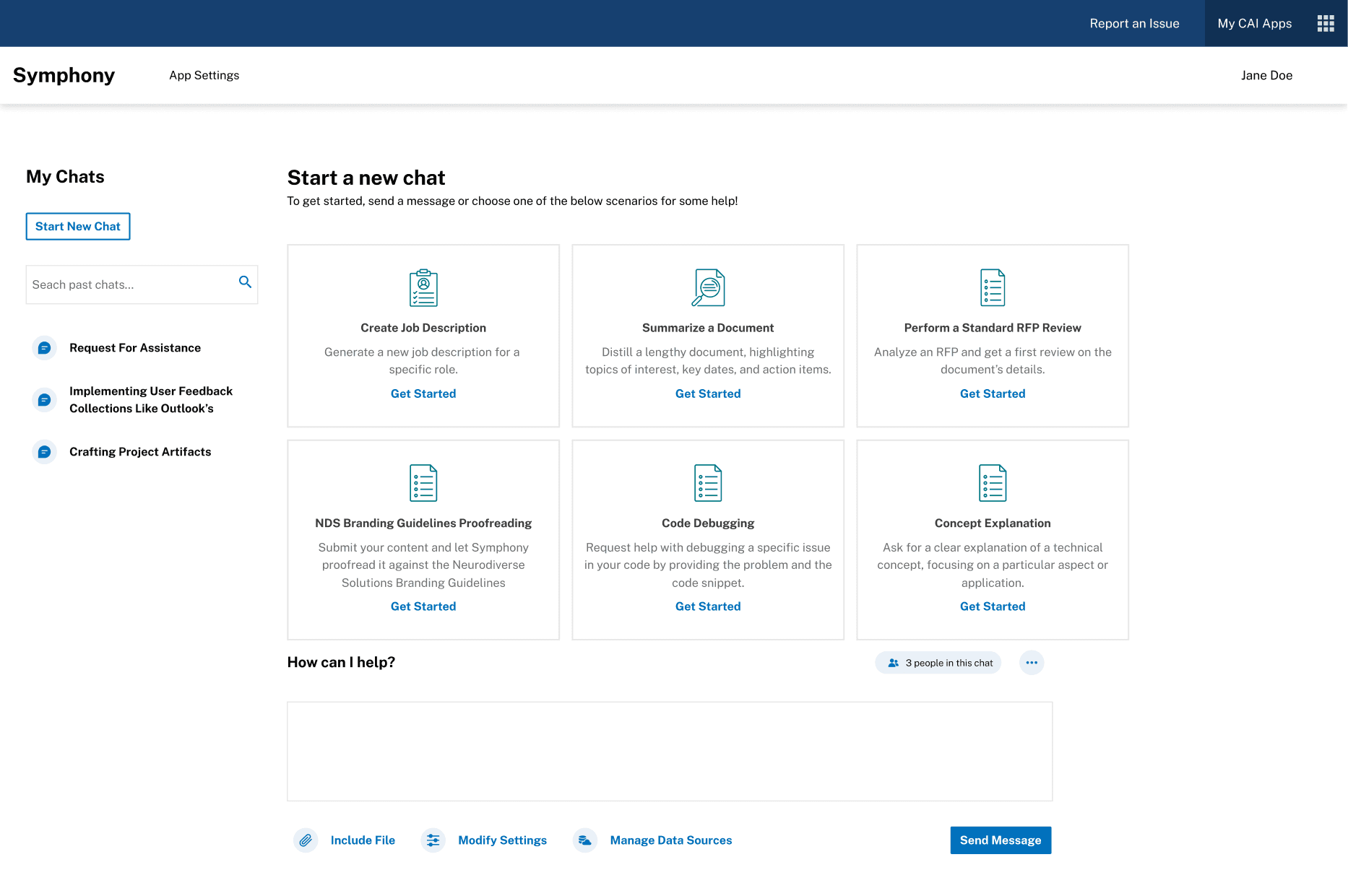
Symphony is CAI’s internal AI assistant used daily across multiple teams. I led UX research to understand how employees store, organize, and retrieve data — and what they need from a centralized Data Collections feature. My goal was to translate real workflows into clear opportunities for the product team.
Problem Statement
Internal teams spent too much time searching for scattered information
Internal teams relied on scattered tools like Excel, Salesforce, Teams, and shared drives. Their processes were manual, inconsistent, and time-consuming. Before building anything new, the UX team needed to map these workflows end-to-end and identify what a unified data system should support.
Users & Audience
Data-heavy roles who rely on accuracy and quick access
Our research focused on account managers, governance reviewers, and team leads inside CAI. These roles work with large datasets and need reliable ways to find, share, and reuse information. Their tasks often depend on fast turnaround times and consistent documentation.


Scope & Constraints
Two months of research with busy internal teams
This project took place over my two-month internship. We completed seven interviews, but scheduling longer sessions with internal employees was a consistent challenge. Many participants described workflows that were informal or hard to explain, which required careful interpretation.
Timeline
Participants
Tools
Scope
Constraints
48 hours
14 internal users
Figma, FigJam, Slack
Ideation → UI Design → Prototype
Tight timeline, time zones, mixed Figma experience
Process Overview
Our path from interviews to clear opportunities
I created the interview script, sat in on sessions, and took detailed notes. Afterward, I organized the findings into personas, user stories, and opportunity areas. I worked with CAI’s lead researcher, who facilitated the interviews, and I presented our insights to the Symphony team.
Plan: Set goals and created interview guide.
Interview: Completed sessions with internal users.
Synthesize: Identified patterns and pain points.
Define: Built persona and created user stories.
Recommend: Highlighted opportunities for the Data Collections feature.
Detailed Process
Preparing a Research Plan
I created an interview script that covered tools, daily tasks, and specific challenges. This gave the team a focused structure for each session.
User Interviews
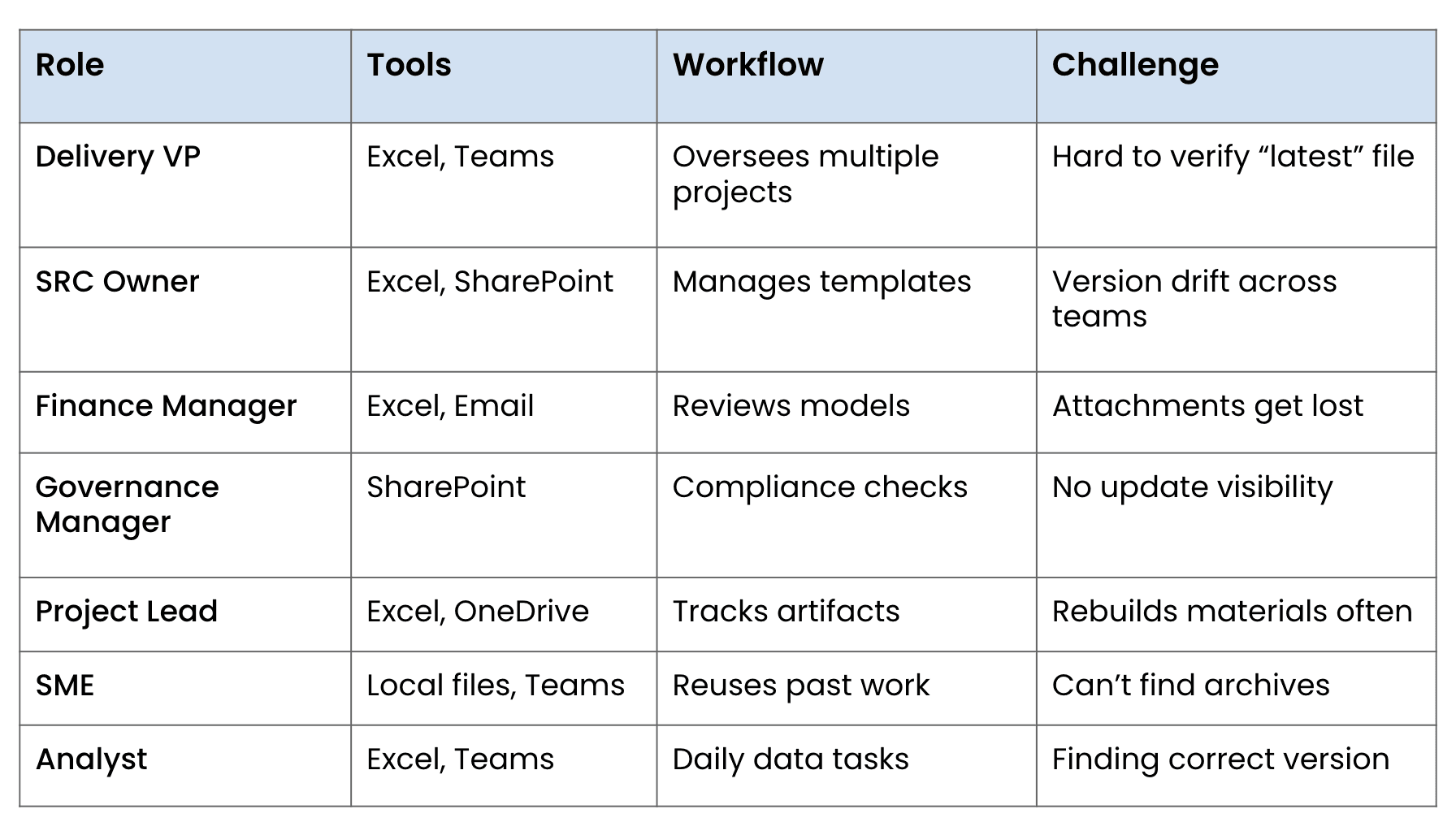
We interviewed seven internal users across roles in delivery, finance, governance, and analysis. Each person walked us through how they store, track, and retrieve information as part of their daily work. To compare workflows, I summarized the interviews in a role-by-role grid that captures the tools they rely on, how they complete their tasks, and the challenges that consistently slow them down.
Synthesis & Patterns
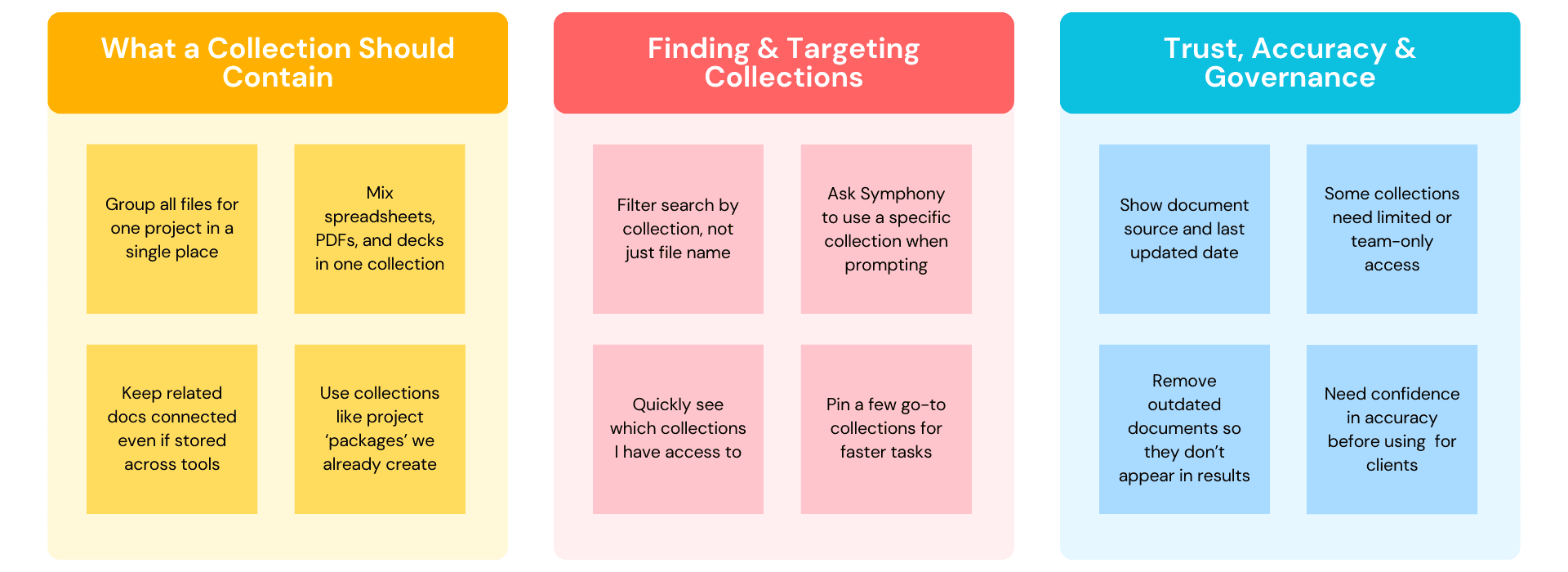
I used affinity mapping to cluster the interview notes into three themes: how users define and structure a “collection,” how they want to retrieve and target those collections inside Symphony, and what they need to trust the accuracy, governance, and visibility of the information they rely on.
Persona & User Stories
This persona represents patterns that emerged across the seven interviews, capturing how internal users manage renewals, documents, and client data across multiple tools. It highlights their motivations, work habits, and the workflow frustrations that shape how they interact with systems like Symphony.
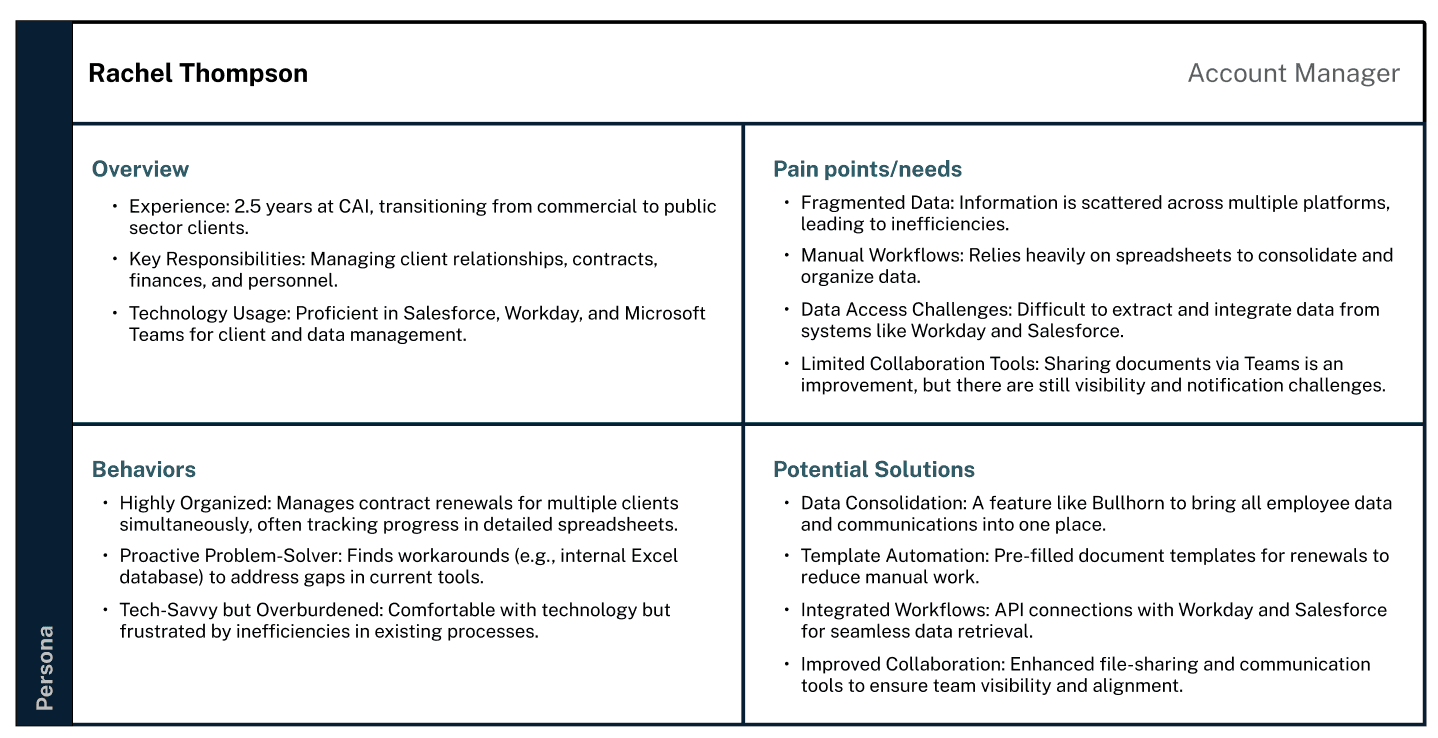
This persona is fictional but based on real insights gathered during user research.
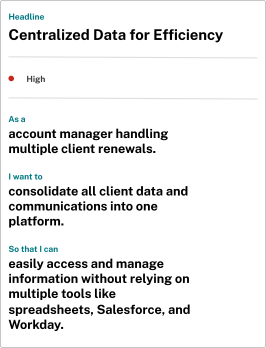
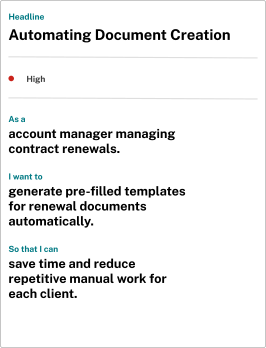
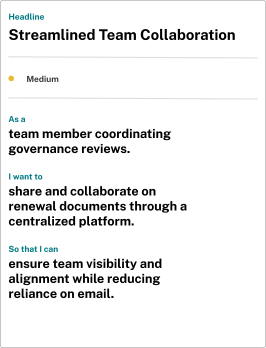
These user stories translate the persona’s needs into actionable requirements. Each story focuses on a core outcome—centralized data, reduced manual work, and improved team visibility—reflecting the capabilities users would expect from a Data Collections feature.
Opportunities & Recommendations
I outlined several opportunities for the Data Collections feature. These included centralized storage, bulk upload, flexible templates, improved tagging, and more reliable search.
Opportunity #1
Organize and Consolidate Workflows
A single location to gather all client or project artifacts instead of searching across Excel, Teams, SharePoint, and local folders.
A way to keep spreadsheets, PDFs, slide decks, and model outputs together without manual linking or folder digging.
Workflow continuity between teams that prevents version drift and misalignment.
Reusable structures (“packages” or templates) that prevent every project from starting with a blank slate.
Recommendation:
Create a unified Collections space that supports all file types, maintains relationships between documents, and mirrors users’ mental models for how they organize projects today.
Opportunity #2
Reduce Manual Labor and Improve Retrieval
Smarter search that filters by collection, project phase, or file type rather than forcing users to remember exact file names.
Quicker ways to locate files without digging through nested folders or hunting for the “latest version.”
Guidance from Symphony when preparing deliverables (e.g., “use your Finance collection for this prompt”).
Fewer repetitive tasks, especially around rebuilding documents or copying past versions to start fresh.
Recommendation:
Enhance Symphony’s retrieval layer with contextual search, automated surfacing of relevant collections, and shortcuts for high-frequency workflows to minimize manual overhead.
Opportunity #3
Increase Trust, Transparency, and Governance
Clear version history and last-updated timestamps so they know which file is authoritative.
Permissions that reflect team boundaries, since not all collections should be visible or editable across the organization.
Protection against outdated or incorrect content showing up in search results.
Confidence in accuracy before using documents in client-facing work, especially regulated or finance-heavy content.
Recommendation:
Introduce governance features like source visibility, structured permissions, and automated hygiene (sunsetting or flagging outdated files) to create a more reliable and auditable file system.
Outcomes & Lessons Learned
Research that shaped Symphony’s roadmap and strengthened my skills
This project gave the Symphony team a clear understanding of how internal teams manage their information and why their workflows often felt slow or fragmented. The insights I gathered helped the product team prioritize what was most important for a future Data Collections feature. My research was used in early roadmap discussions, and it supported developers as they evaluated the scope, technical requirements, and feasibility of potential solutions.
I also presented my findings to designers, engineers, and leadership. This experience showed me how to communicate research to people with very different priorities, and how to frame insights in a way that connects directly to business needs.
On a personal level, this was my first in-depth research project inside a corporate environment. I learned how long and layered the research process is, and how much interpretation is required when users describe inconsistent or informal workflows. It taught me how to write strong interview questions, how to handle messy and sometimes unclear feedback, and how to turn it into actionable direction for future features.
This project strengthened my confidence in qualitative research, enterprise workflow analysis, and cross-functional communication. It also reinforced how essential user insights are in creating products that actually support the people who rely on them every day.