Overview
Designed in 48 hours to reimagine commuting through teleportation.
Telo was created for Figma’s annual FigBuild Designathon, which challenged participants to design a product around the theme of “superpowers.” My team of four designers set out to tackle the frustration of long, inefficient commutes by imagining an app that lets users instantly teleport to any destination.

Problem Statement
Commuting wastes hours every day — we imagined a superpower that gives that time back.
The average student or professional spends over an hour commuting daily, leading to lost time, stress, and fatigue. Our goal was to create a concept that eliminates travel time while keeping the experience intuitive, human, and enjoyable.
Dude traffic was so bad today I was stuck between 2 exits for 30 minutes
I KNOW it took me an hour and a half to commute to campus I almost missed my exam
Users & Audience
Urban commuters seeking faster, simpler travel.
We designed for young professionals and students who rely on public transit or rideshares and feel their commute limits their time and energy. These users value efficiency, convenience, and a seamless experience.
Persona
Inara Jain
2nd Year Biology Major
Overview
Lives off-campus in Midtown Atlanta
Uses apps like Google Calendar, Notion, and Zoom for academic planning and collaboration.
Wants to perform well in classes while balancing extracurriculars and part-time work.
Pain points/needs
Struggles to find peers who are available at the same time and have similar study styles
Balancing classwork, extracurriculars, and a part-time job leaves little time for finding or forming groups.
Feels frustrated using multiple tools (email, text, GroupMe) to coordinate study sessions
Behaviors
Uses Google Calendar to schedule every task but often gets overwhelmed by disorganized group communications.
Prefers group discussions and peer explanations to fully grasp complex topics like molecular biology.
Juggles multiple platforms for planning, learning, and socializing but wishes for a single, streamlined tool.
Potential Solutions
Join Pre-Matched Study Groups for Biology Classes
Use Filters to Find Groups Meeting in Evenings
Chat Seamlessly with Group Members in One App
Create and Manage a New Group for Exam Prep
Roles & Responsibilities
A global, four-designer collaboration.
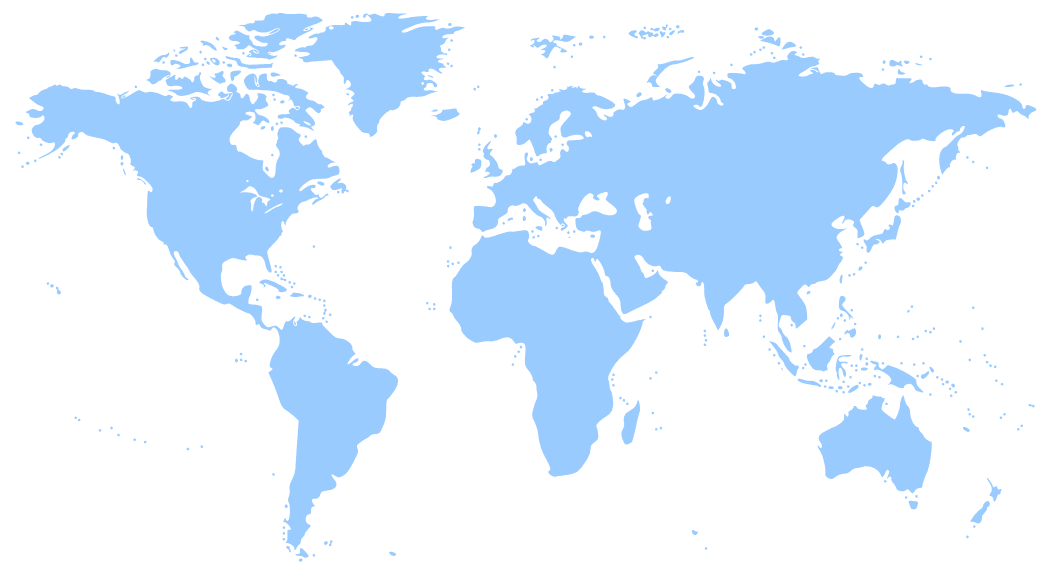
Our remote team of four designers collaborated across Atlanta, Seattle, and Cape Town. We each contributed to user flows and UI design. I focused on the queue flow, which also included the app’s key animations. I helped maintain UI consistency and visual cohesion throughout the prototype.
Scope & Constraints
One weekend, three time zones, countless ideas.
With only one weekend to complete the challenge, our focus was on quick ideation and clear storytelling rather than extensive research or iteration. Coordinating across three time zones required strong communication and time management to keep progress consistent.
Timeline
Team
Tools
Scope
Constraints
48 hours
4 designers
Figma, FigJam, Slack
Ideation → UI Design → Prototype
Tight timeline, time zones, mixed Figma experience
Process Overview
Brainstorm → Define → Flow → Design → Prototype
Brainstorming: Explored five pain points and five superpowers.
Define: Focused on commuting + teleportation = Telo.
Flow: Built user flows for each core feature and combined them.
Design: Created lo-fi sketches, established quick design system.
Prototype: Designed hi-fi screens and added motion for depth.
Detailed Process
Brainstorming & Ideation
Generated 5 problem–superpower pairs; chose commuting as the issue and human teleportation as the solution.
User Flow Development
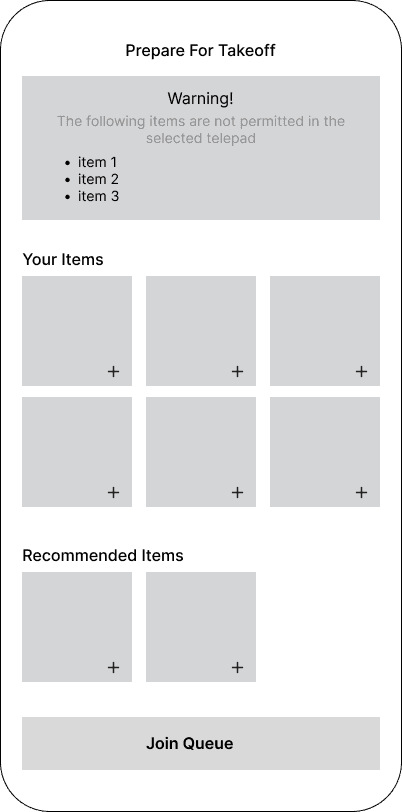
Each designer owned one flow; mine was the queue system that managed teleportation requests.
Low-Fidelity Designs - Queue Flow
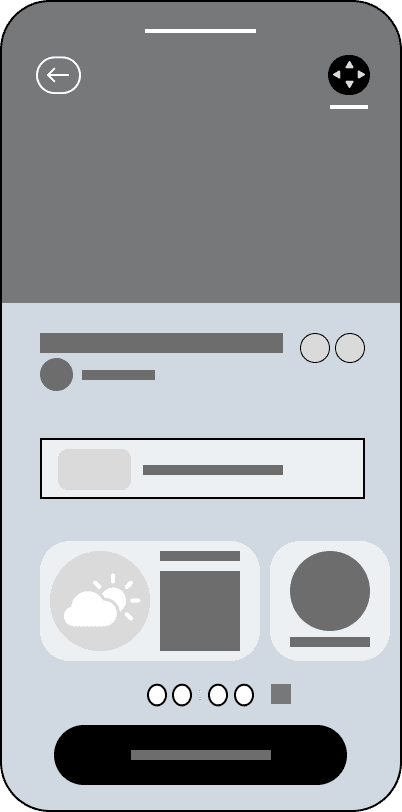
I built quick wireframes in Figma for flat screens to validate navigation and information layout, and sketched out screens that I wanted to add animations to.


Building Telo’s visual identity and final interface
Headline 2
Secondary
#C0EDD0
Color
Headline 1
Primary
#7ACCB3
H2 28px
H4 17x
S 12px
Body
Subtitle
H3 17px
Headline 3
Action
#9071FF
Accents
#D1C8EF
Black
#000000
H1 32px
Typography
We created a quick, lightweight design system defining colors and typography styles to keep the interface consistent. I then applied this system to build the final high-fidelity screens, focusing on clarity, futuristic tone, and ease of use.
Outcomes & Key Takeaways
What Telo taught me about collaboration and creativity.
Our team delivered a high-fidelity prototype of Telo, capturing the experience of instant teleportation through polished visuals and motion. Collaborating with designers from different creative backgrounds taught me how to adapt my workflow, communicate design ideas clearly, and support teammates who were newer to Figma.
I also learned animation in Figma while building the prototype, which deepened my understanding of how motion enhances usability and storytelling. Next time, I would include quick user testing to ensure our ideas align with real commuter needs. Overall, this project strengthened my ability to work fast, learn on the fly, and create with intention.