Usage Reports
Designing Data Insights for Devs
I designed the Usage Reports page to help developers and stakeholders track feature adoption and user behavior. The page was envisioned to leverage D3.js for creating dynamic, interactive visualizations that enable real-time insights.
Problem Statement
The Challenge
Developers needed a tool to monitor Symphony’s feature usage and department-specific trends. Existing systems lacked clear, actionable visualizations, making it difficult to identify patterns or prioritize improvements.
With vast amounts of data spanning various aspects of usage, it was challenging to digest the information and identify clear opportunities for optimization.
My Solution
A Metrics Dashboard For Symphony
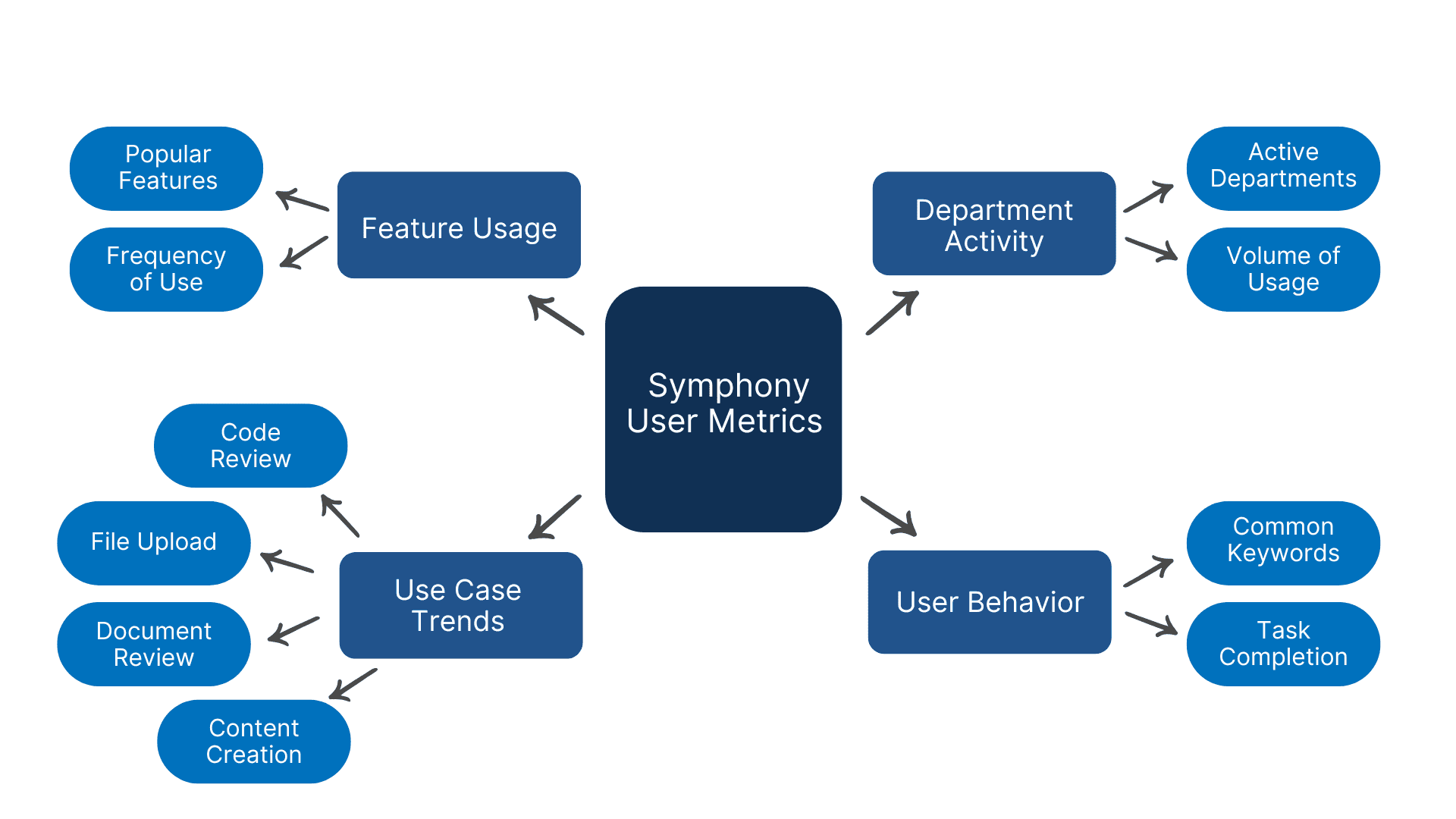
I worked closely with developers to understand their goals and challenges with tracking Symphony’s user behavior. Together, we identified critical metrics, such as feature adoption and department-specific trends. I refined their input to ensure the visualizations grouped data logically, prioritized clarity, and addressed actionable insights to optimize Symphony’s features.

I designed the Usage Reports page to visualize critical metrics, including:
Feature adoption across users.
Department-specific activity trends.
Key use cases for Symphony.
The design prioritized clarity and scalability, laying the foundation for integration with D3.js that then supported interactive and dynamic data visualizations.
The Impact
Insights That Drive Innovation
The Usage Reports dashboard was designed to go beyond surface-level data, focusing on key metrics that directly impact Symphony’s optimization efforts. These insights enable developers to identify inefficiencies, tailor features to user needs, and streamline workflows across teams.
Uncovering Feature Usage Trends:
Tracked underutilized features by identifying drop-offs in usage patterns, providing developers with data to decide which features to improve or phase out.
Analyzing Department-Specific Engagement:
Highlighted variations in feature usage between departments, uncovering unique workflows and creating opportunities for team-specific optimizations.
Reducing Noise in Data Analysis:
Filtered redundant data points to focus on high-impact metrics, streamlining decision-making and improving developer productivity.